DELETE YOUR ZESTRO ACCOUNT
You can permanently delete your Zestro account and associated data from inside the app.
Last updated: September 6, 2026
Before you delete your account
Account deletion is permanent and cannot be undone. It removes information associated with your Zestro account, including your profile, dietary and health preferences, cooking history, saved recipes, stored voice transcripts, uploaded finished-meal photos, notification token, and Zestro subscription record.
Deleting your Zestro account does not cancel an active Google Play or Apple subscription. Cancel your subscription separately through the store account used to make the purchase to prevent future renewals.
Delete your account in the app
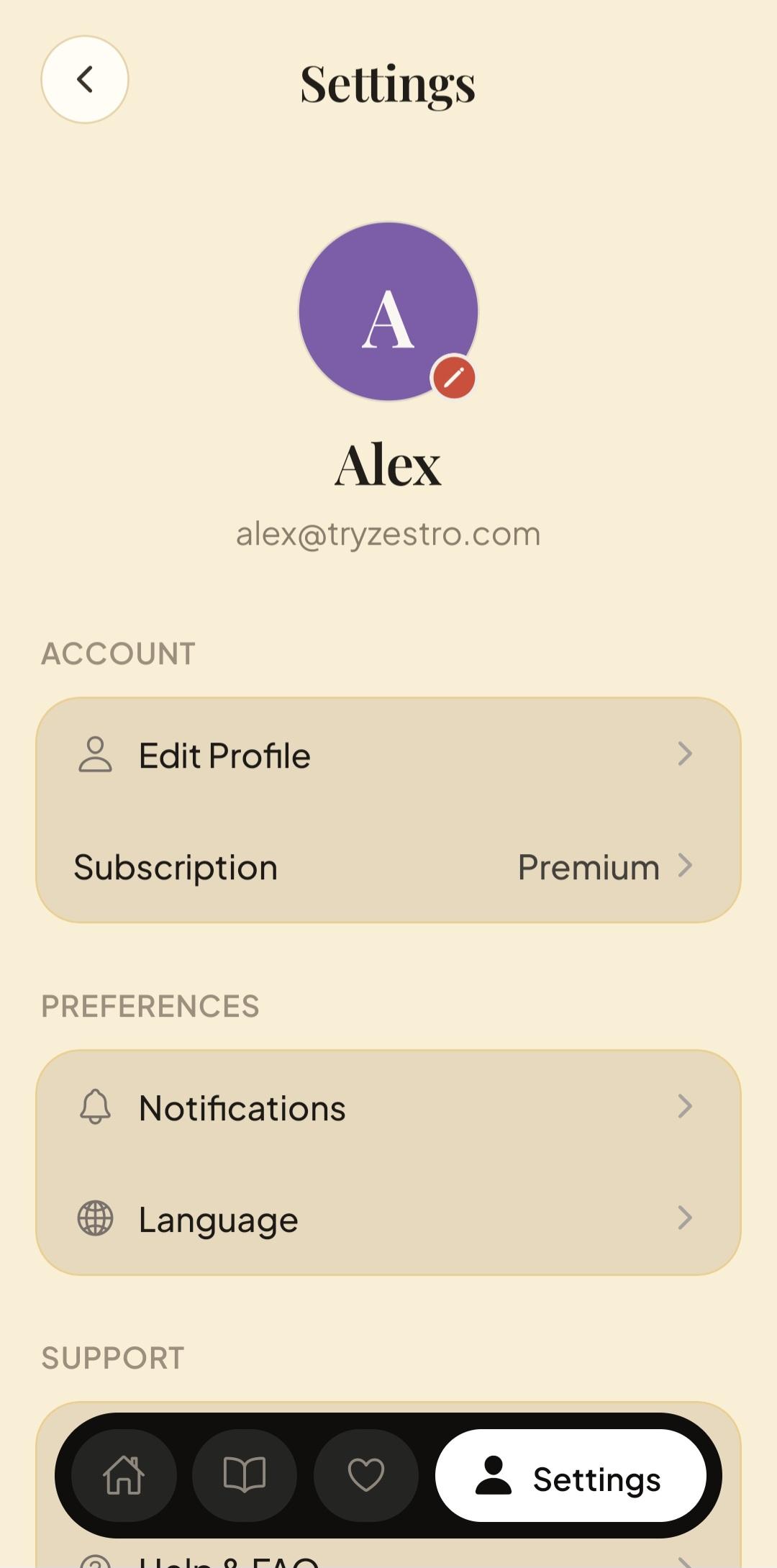
1. Open Settings
Open Zestro and tap Settings in the navigation bar. Under Account, tap Edit Profile.
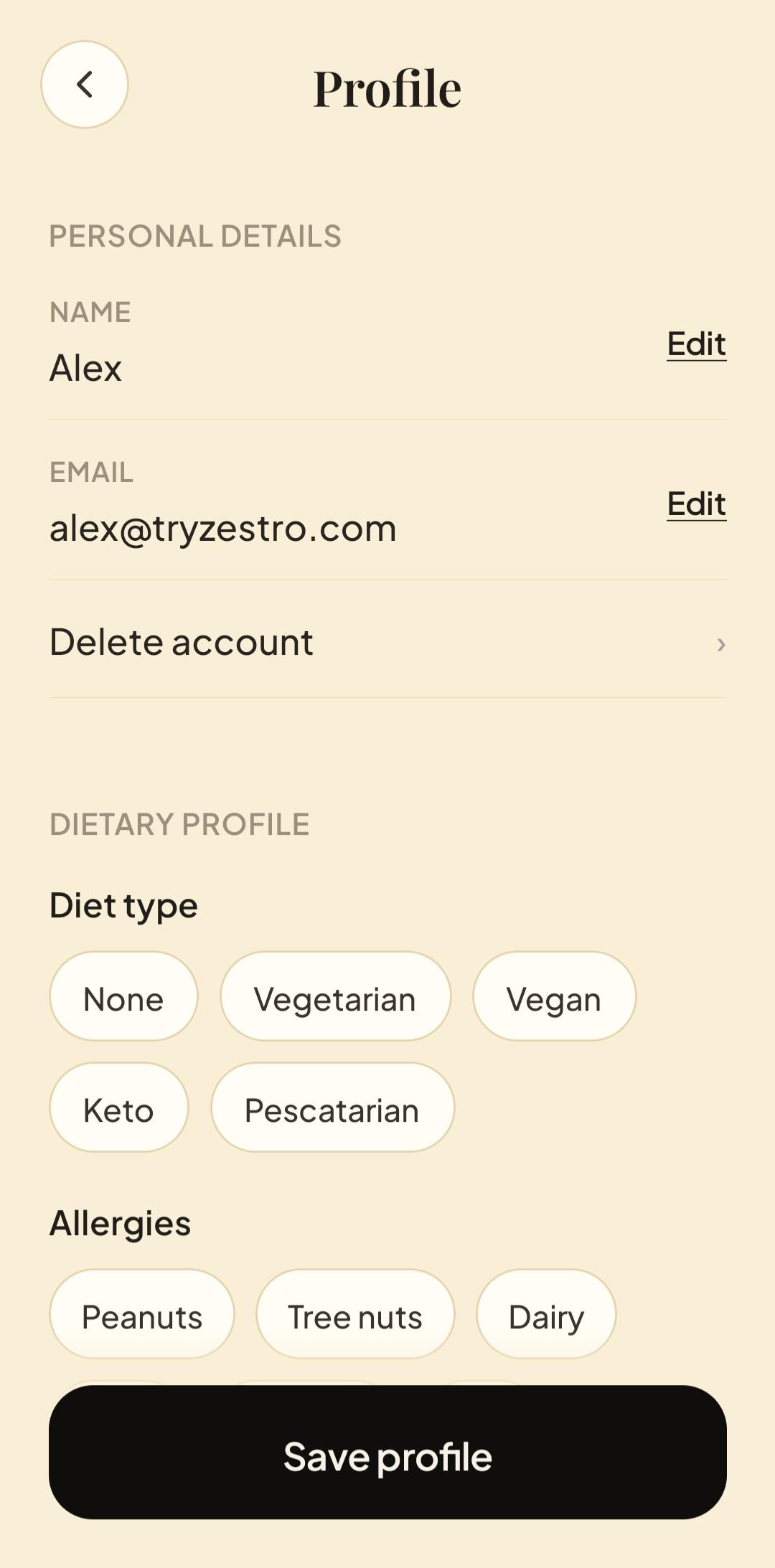
2. Choose Delete account
On the Profile screen, find Delete account beneath your personal details and tap it.
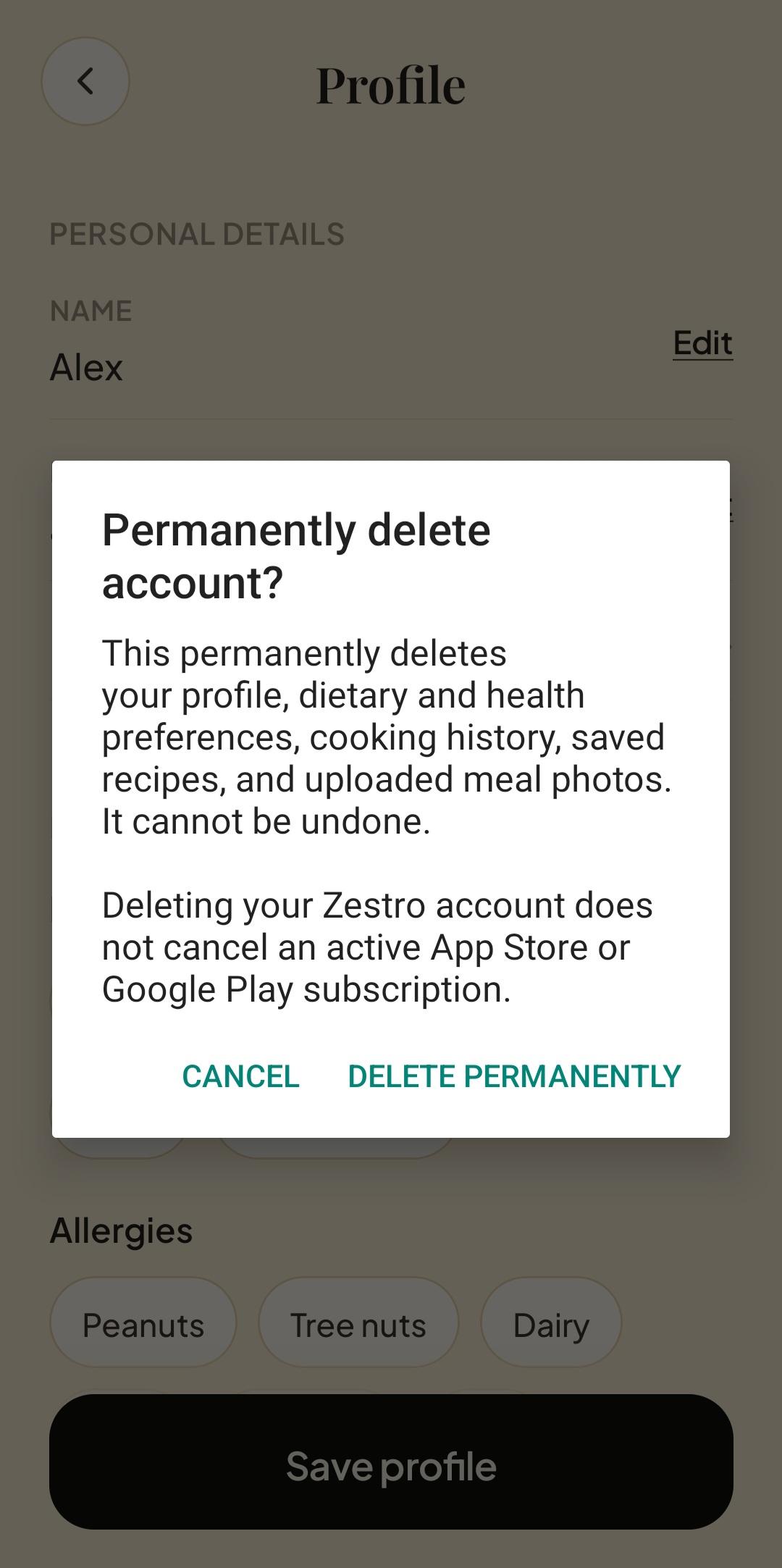
3. Confirm permanent deletion
Read the confirmation carefully. If you want to continue, tap Delete permanently. Choosing Cancel leaves your account unchanged.
What happens next
Once you confirm, Zestro begins deleting the account and associated information under our control. Account-deletion requests are completed within 30 days. Limited information may be retained when required for security, fraud prevention, dispute resolution, accounting, or compliance with law, as explained in our Privacy Policy.
Google Play, Apple, and other payment-related providers may retain transaction records under their own policies or where legally required.
If you cannot access the app
Email privacy@tryzestro.com from the email address associated with your Zestro account. Use the subject Zestro account deletion request. We may ask you to verify that you own the account before completing the request.
Need help?
For questions about account deletion or personal information, contact privacy@tryzestro.com.